
StreamDek
Features

Everything StreamDek does

StreamDek is the layer between the sources you already have and the screens you actually watch on. It hosts nothing itself — it makes what you connect feel like one library, on a phone and on a TV.

New · Plex + Jellyfin

Your collection.
Right at home.

The films you keep. The series you come back to. Bring your Plex and Jellyfin libraries into StreamDek, on your Android phone and your TV.

Plex

Your personal cinema

Give your existing collection a new front door. Link your Plex account, choose your servers and libraries, and settle into something you love.

  • Browse your films and series in StreamDek.
  • Find recently added titles and pick up unfinished favourites.
  • Choose which libraries appear for each StreamDek profile.
01

Link with a code. Approve the connection with Plex, then select your libraries.

Jellyfin

Your server, your collection

Your carefully curated library belongs on the big screen. Connect your Jellyfin server and explore your movies, shows and collections in StreamDek.

  • Browse library shelves, favourites and collections.
  • Continue watching with progress from your server.
  • Keep your server and library choices with your StreamDek profile.
02

Add your server. Enter its address and sign in, or use Quick Connect when your server supports it.

Set it up once. Make it yours.

Open Media Servers in the Web App, choose your profile, and connect. Your setup follows that profile to your Android apps when they sync.

Connect your library

Use the latest StreamDek apps and an existing Plex or Jellyfin server. Your device needs access to that server to browse and play. For a Jellyfin server available only on your home network, connect from the Android app on that network.

Sources

One library, every source you connect

You decide what StreamDek can see. It indexes what you point it at and presents the result as a single catalogue, rather than asking you to remember which app holds what.

Bring your own addons

StreamDek reads the Stremio-compatible addons you install, so the catalogues you already curate show up as rows on your home screen instead of in a separate app.

Six Debrid services

Connect Real-Debrid, AllDebrid, Premiumize, TorBox, Debrid-Link or Deepbrid with your own API key. StreamDek checks cache state and resolves the link at play time.

Your own metadata keys

Artwork, cast and ratings come from TMDB, with optional MDBList enrichment. You can supply your own API keys so your usage is yours and never pooled with anyone else’s.

Playlists and live channels

Add M3U playlists alongside your on-demand catalogues and they appear in the same interface, with the same remote-friendly navigation.

Watching

Fewer decisions between you and playback

The work of picking a stream, remembering where you were and skipping the same forty seconds of titles is work an app should be doing.

Quality badges before you press play

Each stream is labelled with resolution, HDR format, audio codec and whether it is already cached — so choosing a source is a glance, not a gamble.

Continue Watching that actually follows you

Local progress and your Trakt history merge into one row. Stop on the phone at lunch, and the TV picks up the same episode at the same second that evening.

Skip the parts you skip anyway

Auto-skip rules handle intros, recaps and credits per profile, so a binge run behaves the way you would drive the remote yourself.

Subtitles everywhere

Subtitle tracks are sourced and applied consistently across mobile and TV, including for streams resolved through a Debrid service.

Household

Built for more than one person

A shared TV is the normal case, not the edge case. Profiles, pairing and sync are designed around a house rather than a single account holder.

Profiles that travel

Everyone in the house gets their own watchlist, history, home rows and playback preferences. Switching profile on the TV does not disturb anyone else’s Continue Watching.

Pairing in seconds

Sign in once on your phone, then pair the TV with a short code instead of typing an email address and password with a directional pad.

Sync services, connected once

Trakt, Simkl, MDBList and PunchPlay connect at the account level and stay in step. Scrobbles, watchlists and ratings flow both ways.

Arrange your own home screen

Home rows are yours to order, rename, hide or rebuild from the web Control Center — the layout you set applies to every screen signed into that profile.

Interface

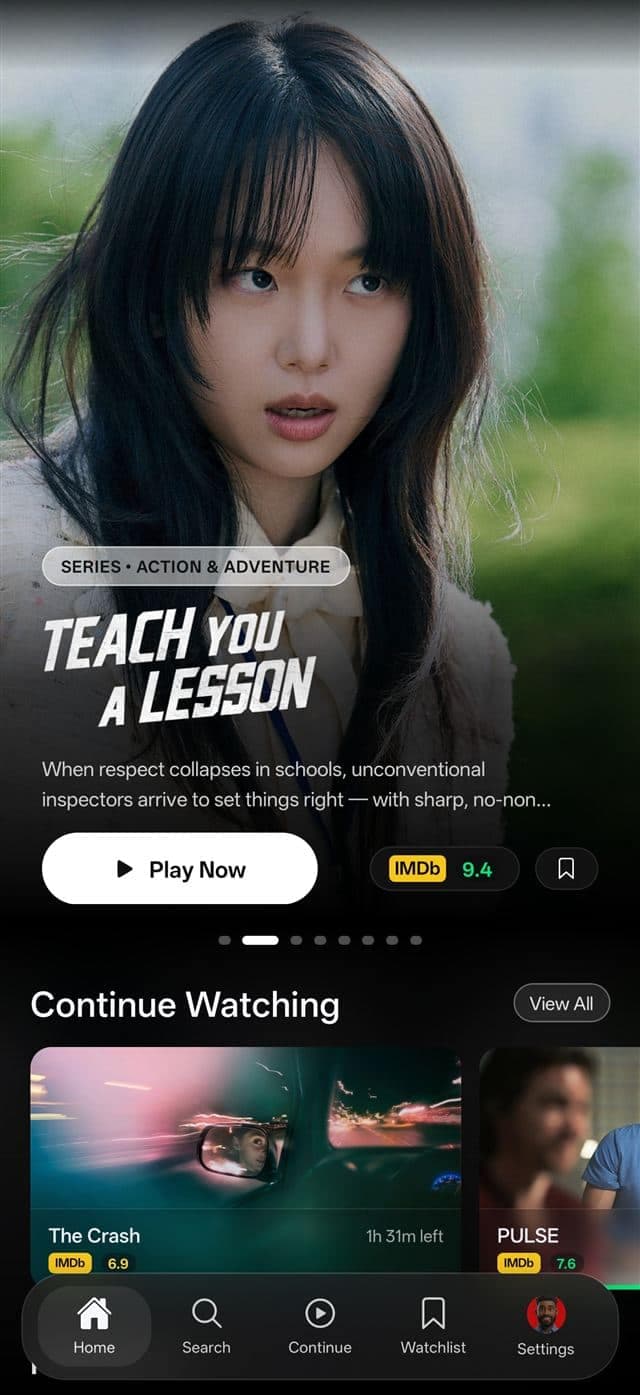
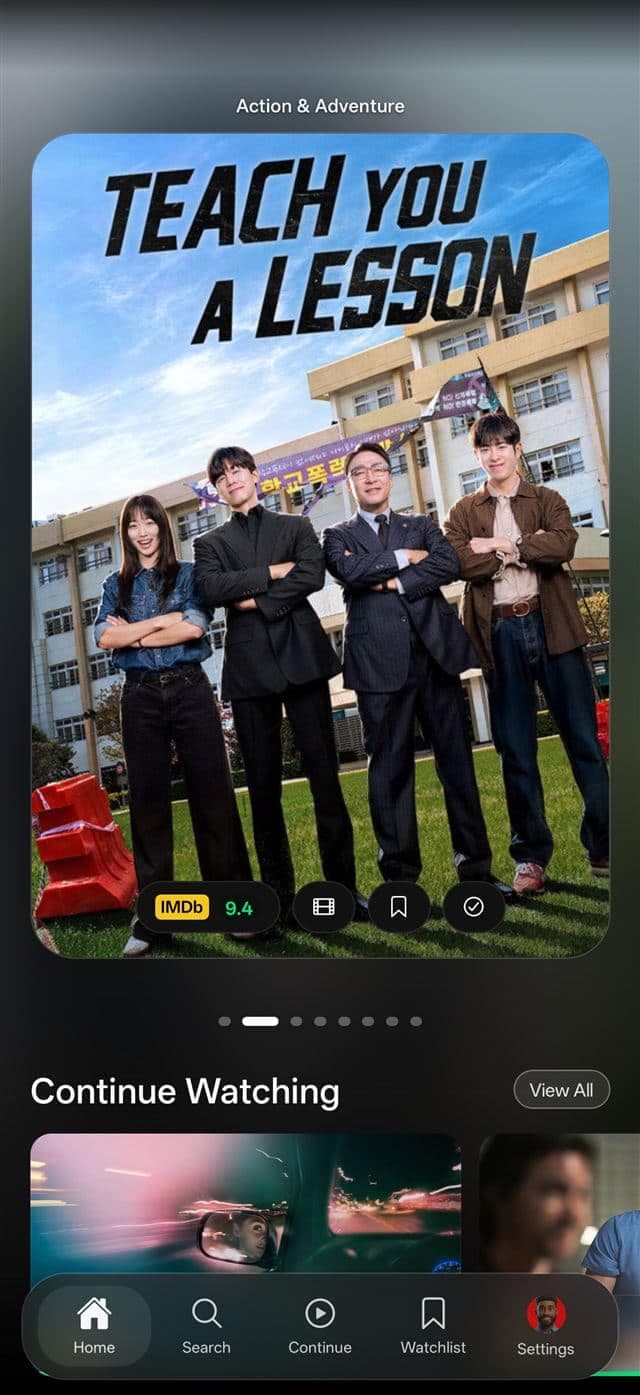
Three looks. Your call.

The same library, presented three ways. Pick per profile, change it whenever, and the choice applies to mobile and TV together.

StreamDek home screen in the Centered layout

Centered

A bold, full-bleed hero with everything centred and within thumb’s reach.

StreamDek home screen in the Classic Left layout

Classic Left

An editorial layout — poster art, taglines and actions aligned to the left.

StreamDek home screen in the Glassy Hero layout

Glassy Hero

Floating poster cards on frosted glass — calm, soft and gallery-like.

Control Center

Set it up on a real keyboard

Pasting API keys and arranging home rows with a TV remote is miserable, so the configuration lives in a browser instead.

The web Control Center is where you connect Debrid providers and sync services, manage addons and playlists, create household profiles, arrange home rows, review paired devices and active sessions, and adjust playback settings. Changes apply to every signed-in screen without touching the TV.

It runs in any modern browser with no install, and it is the same account you use in the Android apps.

Ready to try it?

StreamDek is free to download for Android phones, tablets and TV devices. The web Control Center needs nothing but a browser.